Free QR Code Generator
Generate QR Codes instantly — fully customizable, ready to download, and free to use. No signup required.
Create a QR Code in 3 steps
No signup, no friction — just results.
- 1. Choose your QR typePick what to share — website, Wi-Fi, contact info, or message. Select the type and paste your content.
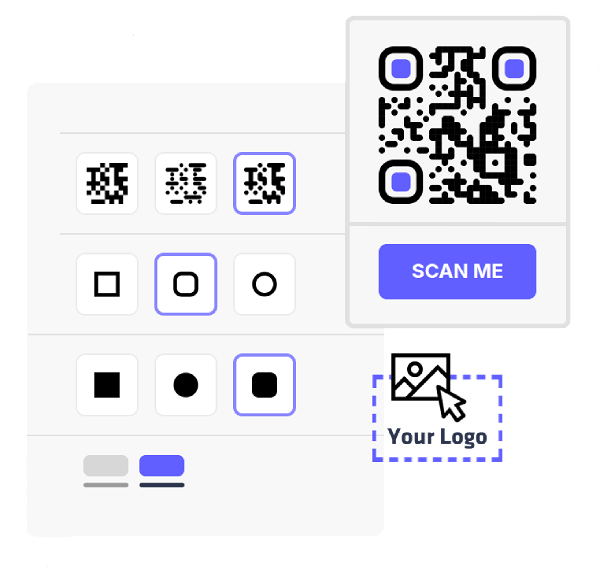
- 2. Customize your designAdd your logo and match your brand colors — choose unique shapes and patterns to make it your own.
- 3. Download instantlyExport as high-quality PNG or SVG, ready for print or digital use.
Every QR Code type you need
QR Codes store all kinds of content. We support every major type.
Website
Link to any URL with a single scan — perfect for marketing materials, packaging, or digital content.
Wi-Fi
Let anyone connect to Wi-Fi without typing a password — ideal for home, events, or public spaces.
vCard
Share contact details that save directly to any phone — replace paper cards with a scannable vCard.
Everything you need to run QR Code campaigns
Track performance, manage destinations, and scale with your team — all from one platform.
Frequently asked questions
A QR Code generator is a tool that creates scannable codes for different types of content. You can generate QR Codes for websites, text, business cards (vCard), Wi-Fi, SMS, email, and more.
Yes. You can create QR Codes for websites, text, business cards (vCard), Wi-Fi, SMS, and email at no cost. Once generated, they remain functional without requiring an account.
Yes. You are free to use your generated QR Codes for personal or commercial purposes, including marketing campaigns, packaging, print materials, and digital media.
QR Codes can store websites, text, business cards (vCard), Wi-Fi credentials, SMS messages, email addresses, and more. When scanned, the stored information is displayed or executed instantly on the user's device.
Yes. Dynamic QR Codes are available on paid plans. They include scan analytics, reporting, and additional management features for campaigns and teams.
QR Codes do not expire. They remain active as long as the linked content or stored data is available. If the destination URL is removed or changed, the QR Code will no longer function as intended.
Static QR Codes directly contain the information you enter and cannot be edited after creation. Dynamic QR Codes allow you to update the destination and access scan analytics without changing the printed code.
Yes. You can customize colors, shapes, eye styles, frames, and add logos. Always maintain sufficient contrast between foreground and background to ensure reliable scanning.
No. QR Codes can use custom colors that match your brand. For best results, use a dark foreground on a light background and avoid low-contrast combinations.
Yes. You can place a logo in the center of your QR Code. Make sure it does not cover essential positioning patterns and test the code before printing.
Static QR Codes cannot be edited once generated. Dynamic QR Codes allow you to update the destination or content without changing the printed code.
Yes. The same content can result in multiple valid QR Code variations depending on encoding and error correction. Each version will function identically when scanned.
QR Codes can be downloaded in high-quality image formats suitable for digital use and print. Vector formats such as SVG are ideal for scaling without quality loss.
Ensure proper size, high contrast, and a clear quiet zone (margin) around the code. Always test the QR Code on multiple devices before large-scale printing.
Most modern smartphones can scan QR Codes directly using the built-in camera app — no special app required. Simply open the camera, point it at the code, and a notification will appear automatically.
No. There is no limit to how many times a QR Code can be scanned.
Scanning issues are usually caused by low contrast, small size, blurriness, or damage to the code. Make sure the foreground is darker than the background and test before printing.
For small print materials such as business cards or flyers, a minimum size of 2 x 2 cm (0.8 x 0.8 inches) is recommended. Larger placements should scale proportionally for optimal scanning distance.