QR Code Templates
Save your design once and reuse it every time you create a QR Code. Apply brand colors, shapes, and logos in one click.
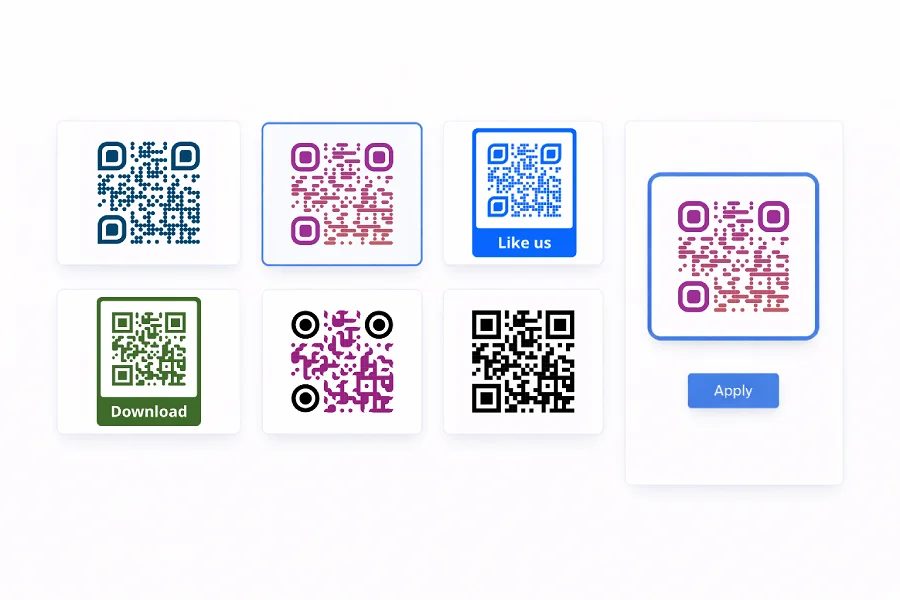
What are QR Code templates?
A QR Code template is a saved design — colors, module shapes, eye styles, and logo — that you can apply to any new code in one click. Instead of rebuilding the same look every time, you pick a template and the design is applied instantly.
Templates are especially useful when you manage multiple campaigns or brands. Save a different template for each one and switch between them without touching the design settings again.
Whether you're creating a single code or generating hundreds in bulk, templates keep every QR Code visually consistent and on brand.
Why use templates?
Templates remove the repetitive work from QR Code creation and give you a faster, more consistent workflow.
- Save time — Design once, reuse across every QR Code. No more recreating the same colors, shapes, and logos from scratch.
- Stay on brand — Every code matches your guidelines, no matter who on your team creates it.
- Work at scale — Apply templates during bulk creation to generate hundreds of consistently styled codes in one batch.
- Keep it simple — Save, organize, and apply designs in a few clicks. No design skills needed.
Frequently asked questions
Design a QR Code with your preferred colors, shapes, and logo, then save the design as a named template. It's available for reuse anytime you create a new code.
Yes — pick a template when generating codes in bulk and every code in the batch gets the same design applied automatically.
Yes. Update colors, shapes, or logos anytime. Existing QR Codes keep their original design — changes apply to new codes going forward.
Yes — templates are shared across your account, so everyone on the team can access and apply them.