Team Management for QR Codes
How does team management work?
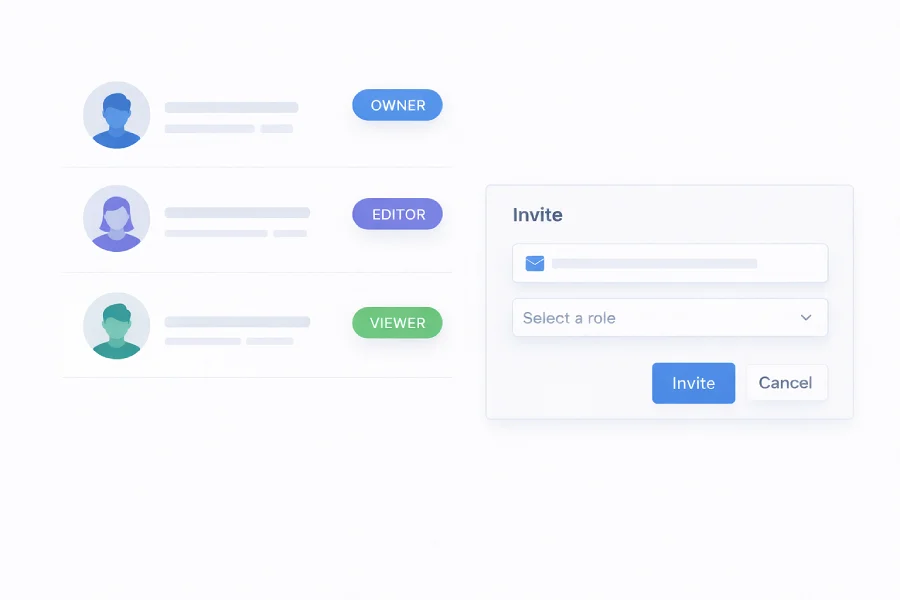
Team management lets you invite colleagues to your QRBYT account and work on QR Codes together. Instead of sharing login credentials or working in silos, everyone gets their own access to a shared workspace where they can create, edit, and track QR Codes based on their role.
You assign each member a role that matches their responsibilities. Administrators have full control over billing, domains, and team settings. Editors can create and manage QR Codes. Viewers get read-only access to campaigns and analytics. This keeps the right people in control without over-sharing access.
Whether you're coordinating between marketing, IT, and management — or simply splitting work across a small team — role-based access keeps everything organized. Everyone works from the same dashboard, with full visibility into campaigns and performance.
Why use team management?
Team management turns a single-user account into a collaborative workspace — so your entire team can contribute without stepping on each other's toes.
- Work together — Invite team members and work together on QR Code creation and management. No more passing files around or duplicating effort.
- Keep everyone aligned — Assign roles and permissions so everyone knows their responsibilities. Precise control over who can access and modify each part of the account.
- Adapt to your structure — Adapt access levels to fit your team structure. Give IT access to domains, marketing access to campaigns, and management full oversight.
- Scale across teams — Distribute tasks across team members and departments effectively. Especially useful when managing multiple projects or campaigns at once.