Static vs Dynamic QR Codes: What's the Difference?
Not every QR Code works the same way behind the scenes. Two codes can look virtually identical on the surface, yet behave completely differently once scanned. That distinction comes down to whether the code is static or dynamic — and understanding the difference matters more than most people realize.
This article covers how each type works at a technical level, compares their strengths and limitations side by side, and helps you decide which one to use.
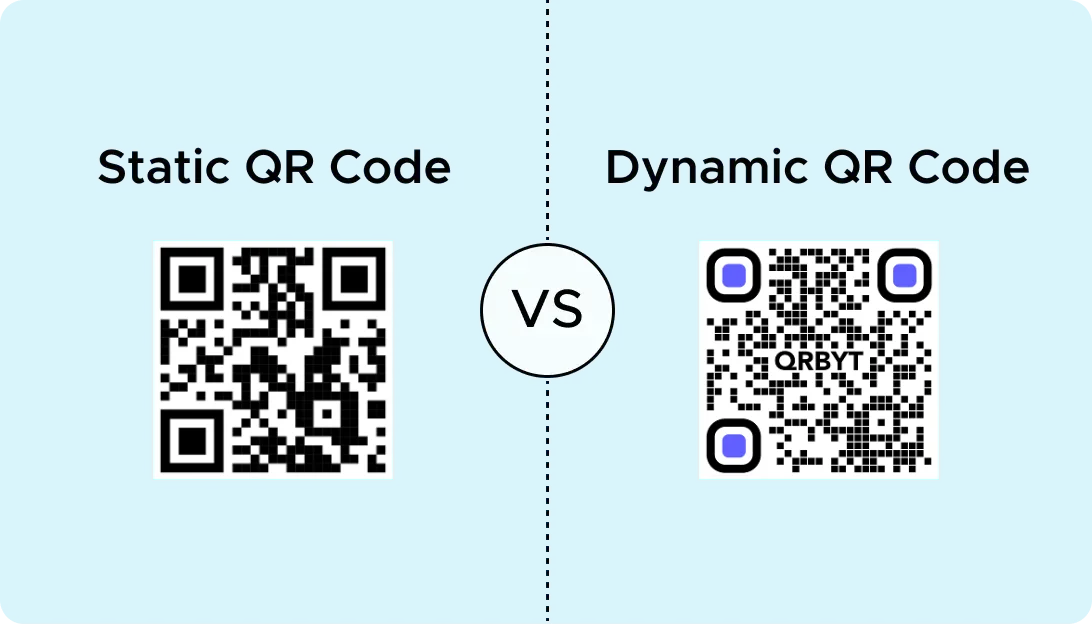
How a static QR Code works
A static QR Code stores the destination data directly inside the code itself. When you generate a static QR Code pointing to https://example.com, that exact URL is encoded into the pattern of black and white modules. To understand how QR Codes encode data, see our deep dive.
There is no intermediary. No redirect. The scanner reads the modules, decodes the data, and navigates straight to the embedded URL.
This means:
- Nothing can change. Once the code is printed, the destination is permanent. If you need to point to a different URL, you have to generate an entirely new code.
- More data means more modules. The longer the URL or text, the denser the code becomes. A code encoding a 200-character URL will be noticeably more complex than one encoding a 30-character URL.
- No tracking is possible. Since there is no server in between, nobody can know when, where, or how often the code was scanned.
- No expiration. A static code will work for as long as the encoded destination exists. There is no subscription or service to maintain.
How a dynamic QR Code works
A dynamic QR Code does not store the final destination directly. Instead, it encodes a short redirect URL — typically something like qrbyt.to/a3xK7m — that points to an intermediary server. That server then redirects the scanner to the actual destination.
This architecture creates a layer of indirection that unlocks several capabilities:
- The destination can change. Since the redirect lives on a server, you can update where the code points without altering the printed code. Swap a landing page, fix a broken link, or rotate seasonal promotions — all without reprinting.
- Scan analytics are available. The redirect server can log every scan: timestamp, approximate location, device type, and operating system. This data is invaluable for measuring campaign performance.
- The code stays compact. Because the encoded URL is always a short redirect (regardless of how long the real destination is), the QR Code remains small and easy to scan.
- It requires a service. The redirect server needs to stay online. If the QR Code platform goes down or you cancel your subscription, the redirect stops working.
Side-by-side comparison
| Feature | Static QR Code | Dynamic QR Code |
|---|---|---|
| Data stored in code | Full destination URL or content | Short redirect URL |
| Editable after printing | No | Yes |
| Scan tracking | Not available | Location, time, device, OS |
| Code density | Increases with data length | Stays compact |
| Requires a service | No | Yes |
| Expiration | Never (as long as destination exists) | Depends on service uptime |
| Cost | Free | Typically requires a paid plan |
| Best for | Permanent, unchanging content | Campaigns, menus, evolving content |
When a static QR Code makes sense
Static codes are the better choice when the encoded content is unlikely to change and you don't need analytics.
Personal use. A QR Code for your home Wi-Fi password, printed and stuck on the router. The password rarely changes, and you don't need scan data.
Permanent signage. A museum plaque, a monument description, or a building directory. The information is stable and meant to last for years.
Printed instructions. A QR Code on a product manual linking to an assembly video. The video URL won't change, and you don't need to know how many people scanned it.
Business cards and vCards. If your contact details are settled, a static code encoding a vCard works perfectly. No redirect server, no dependency on a third-party platform.
One-off sharing. Quickly converting a URL or piece of text into a QR Code for a single use — a presentation slide, a classroom handout, or a conference badge.
When a dynamic QR Code is the right call
Dynamic codes earn their value when any of these conditions apply: the destination might change, you need scan data, or you're distributing the code at scale.
Marketing campaigns. Printed flyers, posters, and billboards with QR Codes that link to a landing page. If the campaign evolves or the URL needs updating, you change the redirect — not the print run.
Product packaging. A food brand links a QR Code on the label to nutritional info. When regulations change or the product formula updates, the destination can be swapped without recalling packaging.
Restaurant menus. A table tent with a QR Code that links to a digital menu. Seasonal dishes, price adjustments, and daily specials can be updated instantly.
Event management. Conference schedules, venue maps, and speaker bios — all things that frequently change in the weeks before an event. A dynamic code on the printed program absorbs all those last-minute updates.
Tracking ROI. When you need to know how many people scanned a code on a bus ad versus a subway poster, dynamic codes give you the data to compare placements and make informed decisions.
The real advantage: editing without reprinting
The single most powerful feature of a dynamic QR Code is the ability to change the destination after the code has been printed and distributed.
Consider the cost of reprinting. If you've distributed 10,000 flyers and discover a typo in the landing page URL, a static code means reprinting all 10,000. With a dynamic code, you fix the redirect in seconds.
This also opens the door to A/B testing. Run the same printed code but alternate the destination between two landing pages to see which converts better. Or rotate the destination over time — link to a webinar registration this week, and a replay page next week.
For businesses running QR Codes on physical materials at scale, dynamic codes aren't a nice-to-have. They're a safeguard against costly mistakes and a lever for ongoing optimization.
How to decide: a practical framework
If you're unsure which type to use, ask yourself three questions:
- Will the destination ever change? If yes, go dynamic.
- Do I need to know how many people scanned it? If yes, go dynamic.
- Am I printing this at scale? If yes, go dynamic — even if you don't think the destination will change. The insurance alone is worth it.
If the answer to all three is no, a static code is simpler, free, and has no dependencies.
Key takeaways
- A static QR Code stores the full destination directly in the code. It's permanent, free, and works without any service — but it can never be edited.
- A dynamic QR Code encodes a short redirect URL. The actual destination lives on a server and can be updated at any time, with full scan analytics.
- Static codes are ideal for personal use, permanent signage, and stable content.
- Dynamic codes are essential for marketing campaigns, product packaging, menus, and any scenario where the destination might change or tracking matters.
- When in doubt, default to dynamic — the flexibility and safety net outweigh the cost.
QR Codes in Manufacturing: Reducing Downtime and Data Gaps
Learn how manufacturers use QR Codes to improve maintenance, inventory accuracy, production visibility, and compliance, plus a practical rollout plan that avoids common failures.
Trust & Safety: How Our Abuse Detection System Works
An overview of QRBYT's anti-abuse platform — how we keep the QR Codes created on our platform safe to scan.