How to Add a QR Code to an Invitation
Your invitation design is finished. The typography is right, the layout is clean, and the colors match your event. Then the practical details arrive: venue address, RSVP instructions, accommodation options, and a URL long enough to span an entire line — and the card starts to look like a terms-and-conditions document.
A QR Code solves this directly. Guests scan once and open your RSVP form, event website, or venue map. The printed card stays uncluttered, and you never have to choose between information completeness and design quality.
But a QR Code only delivers that value if it's placed and built correctly. A code that's too small, too low-contrast, or printed on a glossy surface gets ignored just as reliably as the long URL it was meant to replace.
What to link to
Before generating anything, decide what the code should do. The destination determines everything else — whether it needs to be editable after printing, and what label to place beside it.
The most common destinations for invitation QR Codes:
- RSVP forms — Google Forms, a dedicated RSVP service, or a form on your event website
- Event websites — a single page with schedule, accommodation options, travel directions, and FAQs
- Venue location — a direct Google Maps link to the pin, or a Location QR Code with the address embedded directly in the code; particularly useful for rural venues, multi-entrance locations, or destinations with unreliable GPS accuracy
- Gift registry — a link to a single registry or a landing page listing several registries
- Itineraries and documents — PDF schedules, hotel block details, or activity information for multi-day events
For most invitations, an RSVP form or event website provides the best balance between convenience and information density. Each of these destinations carries a different update risk, though. An RSVP form URL rarely changes. A venue address almost never does. But an event website may go through several revisions between the time you send invitations and the day of the event. That distinction matters when you choose between a static and a dynamic QR Code.
Static vs dynamic: which one to use for invitations
A static QR Code encodes the destination directly in the pattern. It cannot be changed after printing. A dynamic QR Code encodes a short redirect URL instead — the actual destination lives on a server and can be updated without touching the printed code. Our guide on static vs dynamic QR Codes covers the technical differences in detail.
For printed invitations, the case for dynamic codes is straightforward:
- If your venue changes after invitations are mailed, you update the redirect — not the print run.
- If your RSVP platform moves to a new URL, the fix takes seconds.
- Dynamic codes stay compact regardless of how long the real destination URL is, which directly affects scannability — a short redirect encodes into a simpler, less dense pattern than a 200-character event website URL.
For example: invitations go to print in March, and the venue changes its entrance in April. A static code pointing to the old directions page is now permanently wrong for every card already mailed. A dynamic code takes a one-line redirect update to fix.
The only situation where a static code makes sense for invitations is a digital-only invitation where the destination is a short, stable URL that will never need to change.
Where to place the QR Code by invitation type
Placement conventions vary by event formality and card format. The right position keeps the code accessible without disrupting the design.
Wedding invitations
Formal wedding invitations typically keep the main card free of anything that feels transactional. The main card carries the ceremony details; everything else lives in the suite.
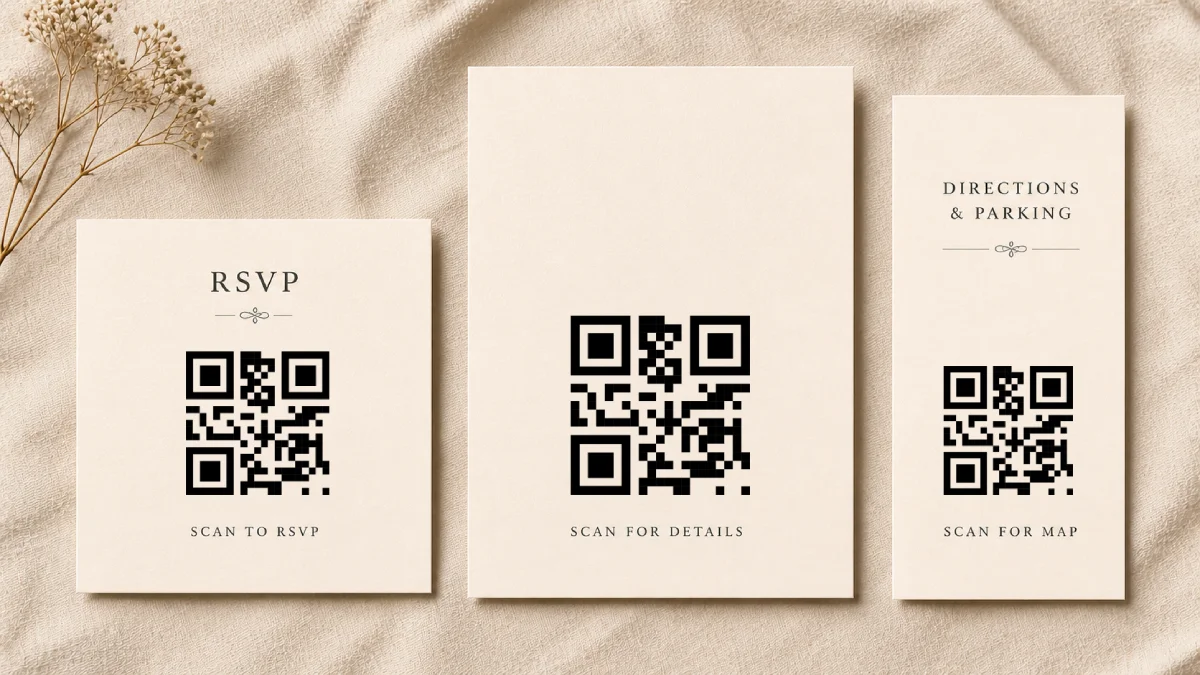
The most natural placement is on a dedicated RSVP card or an information insert. Guests handle these cards specifically to respond and get details, so a QR Code fits without friction. The back of the main invitation also works — accessible without competing with the front-facing design.
Front placement on the main card is worth avoiding even when the design has room for it. The visual weight shifts toward a functional element rather than the event itself.
Birthday and casual invitations
Less formal events have more flexibility. A QR Code on the front of a birthday invitation is entirely appropriate if the layout has room. The back works equally well and keeps the front clean for the key details: who, what, where, when.
For children's birthday parties, parents are the primary audience — they're comfortable scanning and appreciate quick access to the venue address and parking information.
Baby shower invitations
The most useful destination for baby shower invitations is the gift registry. A QR Code eliminates the need to print a registry URL and lets guests navigate directly to the registry from the card.
An information insert within the suite works well here: place the QR Code alongside parking and directions on a small card, keeping the main invitation design intact.
Corporate event invitations
Corporate invitations typically go through multiple stakeholders before reaching the attendee. A QR Code linking to a live agenda page or event registration keeps attendees connected to the most current version of the schedule — particularly useful when session details change between send date and event date.
Placement on the back of the card or a dedicated insert is standard. For events that use printed badges or programs, a QR Code can appear there as well, linking to speaker profiles or live schedule updates.
Sizing and technical requirements
Printed invitations are scanned at close range — typically 20 to 30 cm. Applying the 10:1 distance-to-size rule, that calls for a code at least 2 to 3 cm wide. For printed invitations, the practical minimum is 2.5 x 2.5 cm (1 x 1 inch), which accounts for small variations in print quality and camera performance.
Larger codes are rarely a layout problem at invitation scale. A 4 x 4 cm code on a standard A5 card occupies a manageable area and scans reliably on virtually any smartphone.
Export format
For professional printing, export as SVG or PDF. These vector formats scale to any physical size without quality loss. PNG works for home printing and digital invitations at a minimum of 300 DPI — never stretch a low-resolution PNG to fill a larger space.
Contrast
QR Code scanners depend on contrast between dark modules and a light background. In practice, black or very dark modules on a white or pale background are the safest choice. Invitation designs often run into problems when metallic inks, pastel palettes, or low-contrast combinations take priority over scan reliability — rose gold on cream and silver on ivory both fall into this category.
Customizing the code to match the invitation palette is possible, but always test by scanning the printed version before finalizing the print run. Screen contrast and printed contrast are not the same thing.
Quiet zone
Every QR Code requires a blank margin on all sides — at least four modules wide — so scanners can detect where the code starts and ends. Placing the code flush against text, decorative borders, or a busy background pattern is one of the most common causes of scan failure on printed materials. For invitations under 5 cm, maintain at least 6 mm of clear space on all sides; scale the margin proportionally for larger codes. The QR Code size guide covers the quiet zone in more detail.
Adding a call to action
A QR Code without context creates hesitation. Guests who don't immediately recognize what the code does are less likely to scan it.
A short label resolves this — "Scan to RSVP", "Scan for venue details", or "Scan for directions". Place it directly below or beside the code, in a size and weight that's readable without competing with the invitation's main typographic elements.
Include a fallback
Not every guest will scan a QR Code. Older attendees may be unfamiliar with the gesture, and some people disable QR scanning on their devices.
For critical actions like RSVPs, include a short fallback somewhere in the invitation suite — a printed URL or a contact address. A single line such as "RSVP at example.com/rsvp" takes minimal space and ensures guests who can't or won't scan still have a clear path forward.
Common mistakes
| Mistake | Why it matters | How to avoid it |
|---|---|---|
| Using a static code when details might change | Any URL update after printing breaks the code permanently | Use a dynamic QR Code for all printed invitations |
| Printing on glossy or textured stock without testing | Glare and surface texture reduce scan reliability | Test a scan on the actual paper stock before placing a bulk order |
| Sizing the code below 2.5 cm | Small codes fail on lower-quality cameras and in imperfect lighting | Maintain a minimum of 2.5 x 2.5 cm on all printed invitations |
| No label beside the code | Guests don't know what the code does or whether to trust it | Always add a short call to action: "Scan to RSVP", "Scan for details" |
| Over-customizing colors to match the invitation palette | Low-contrast combinations cause scan failures | Test contrast; default to dark modules on a light background when in doubt |
| Placing the code on a decorative or patterned background | Pattern interference prevents the scanner from reading the code | Reserve a clean, undecorated area of the card for the QR Code |
| Not testing before the print run | A broken link or failed scan is discovered only after mailing | Scan from multiple devices — including both iPhone and Android — verify the destination, and test on the actual printed stock |
| Printing on foil, vellum, or translucent overlays | Reflection and visual interference from these materials reduce scan reliability | Keep the QR Code on a flat, opaque, high-contrast surface |
A well-placed QR Code should feel invisible in use: easy to scan, unobtrusive in the design, and flexible enough to absorb last-minute event changes.
How do QR Codes Encode Data?
Learn how QR Codes store information using modules, error correction, and encoding modes. Understand the structure behind every scannable square.
How to Choose the Right QR Code Size for Any Surface
From business cards to billboards, learn how scanning distance, data density, and print quality determine the ideal QR Code size — and how to get it right every time.